Keep your own files private.
Protect personal documents or photos with your own identity.
- Encrypt with
- Your public key
- Open with
- Only your private key
File encryption, made personal.
Keep files private for yourself, or encrypt them for someone else. Choose Me, a contact or a password. All on your device.
Free to start. No DotBGE account required.
On a computer? Scan to download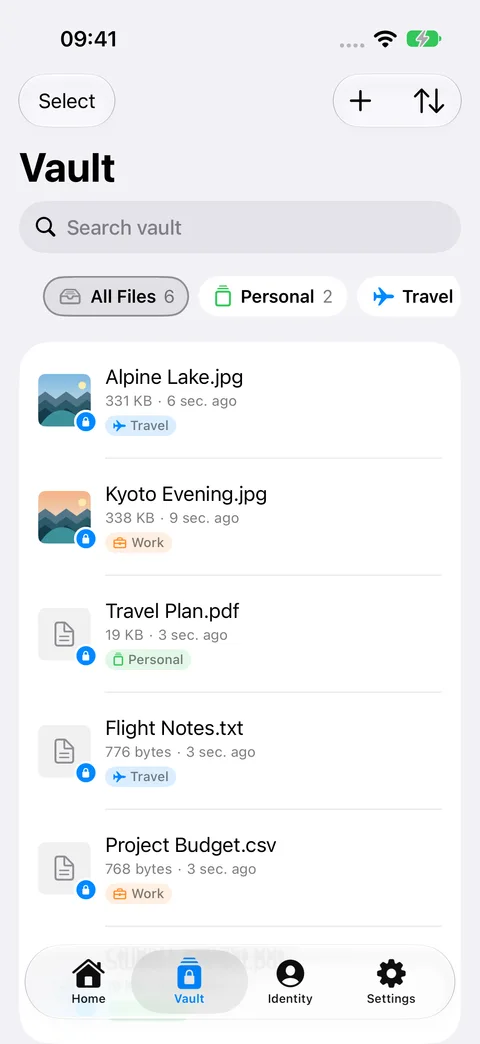
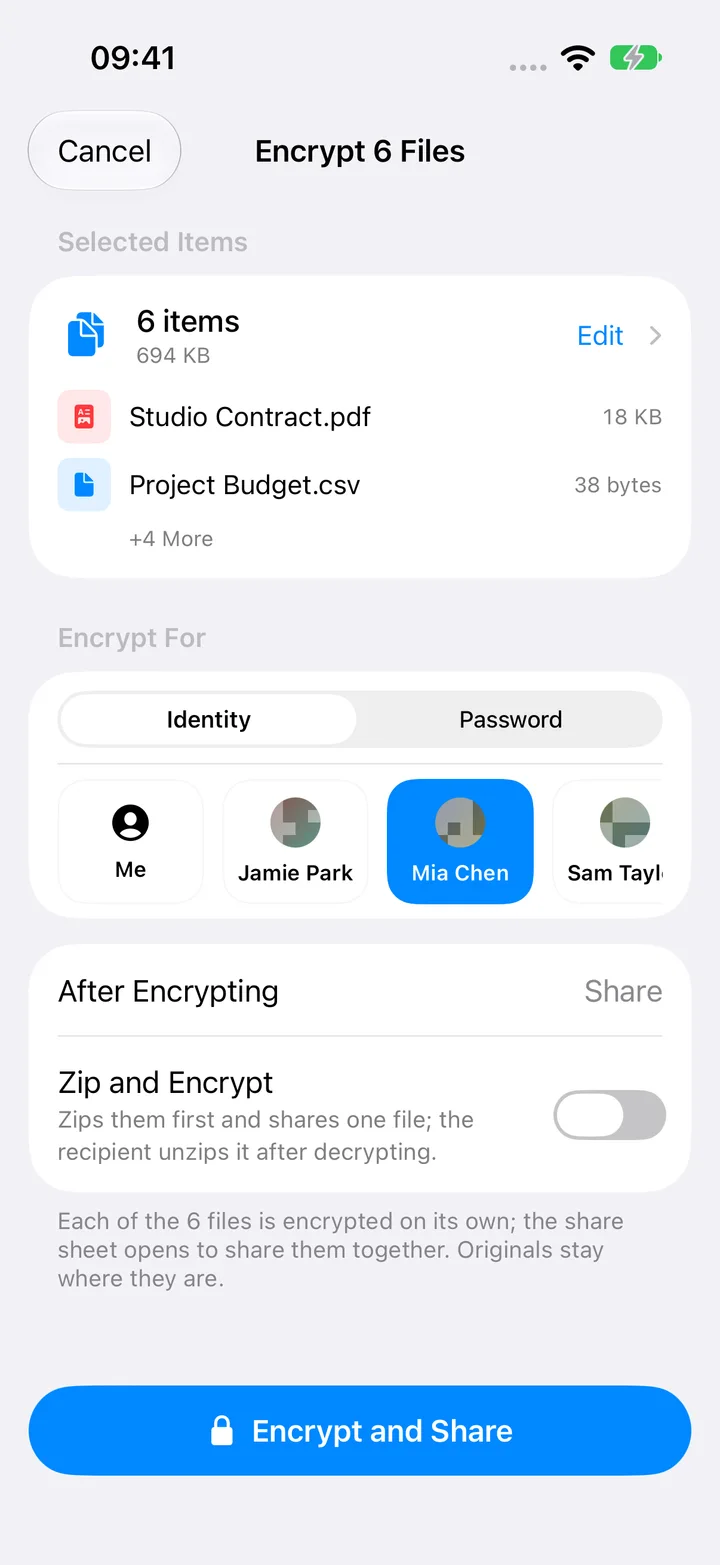
Actual iPhone app · sample content · batch encryption with Pro
Opening and decrypting it is free. Open it in DotBGE with your matching private key or the password the sender gave you.
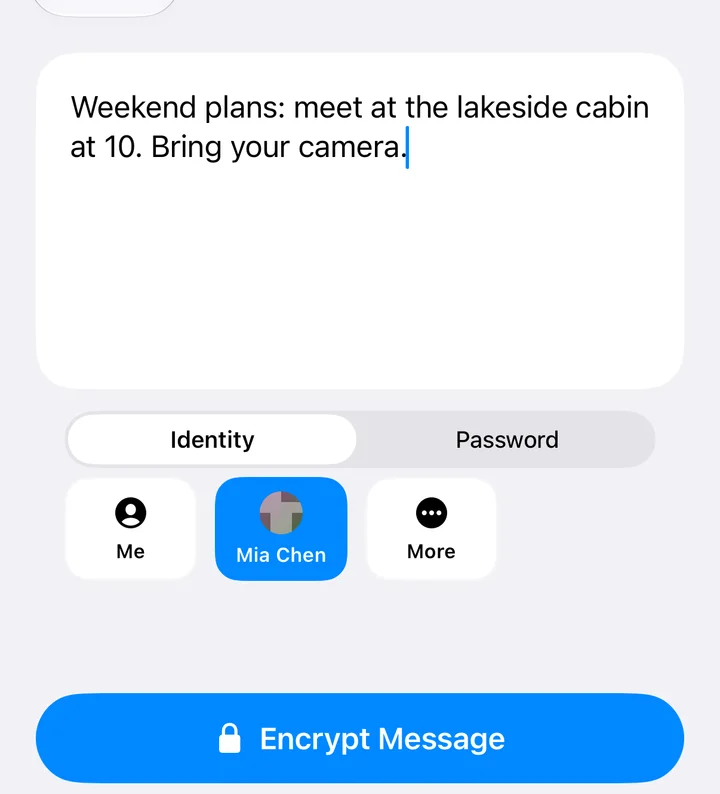
One question: who should open it?
Both use the same idea: encrypt with the recipient’s public key. Only the matching private key can open the encrypted file.
Protect personal documents or photos with your own identity.
Get Mia’s public key through her identity card, then select her contact.
Prefer a password? Choose Password instead. Anyone with that password can open the file in DotBGE or another compatible .bge tool.
The public key becomes a contact
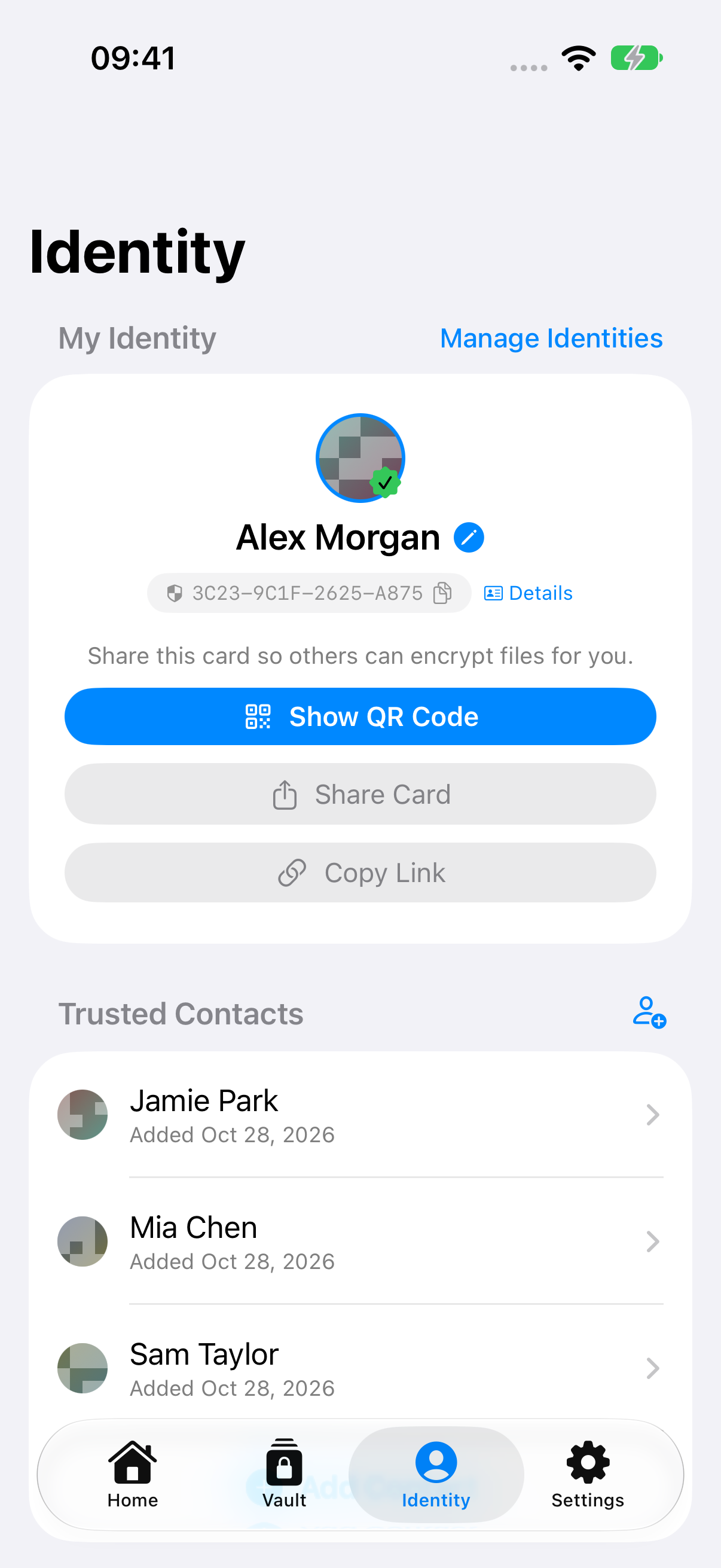
An identity card carries a name and a public key. It lets others encrypt files for you. It cannot open your encrypted files, and it does not contain your private key.
Mia shares her card with you as a QR code or .bgekey file. Import it to add her public key to Contacts.
Select a file, then select Mia in Contacts. DotBGE uses her saved public key. You do not need her private key or a shared password.
Send the encrypted .bge file through your usual chat or email app. Mia opens it with her private key in DotBGE or a compatible tool.
That encrypted file is for Mia. Your own private key cannot open it.
Want Mia to encrypt something for you? Share your identity card with her.
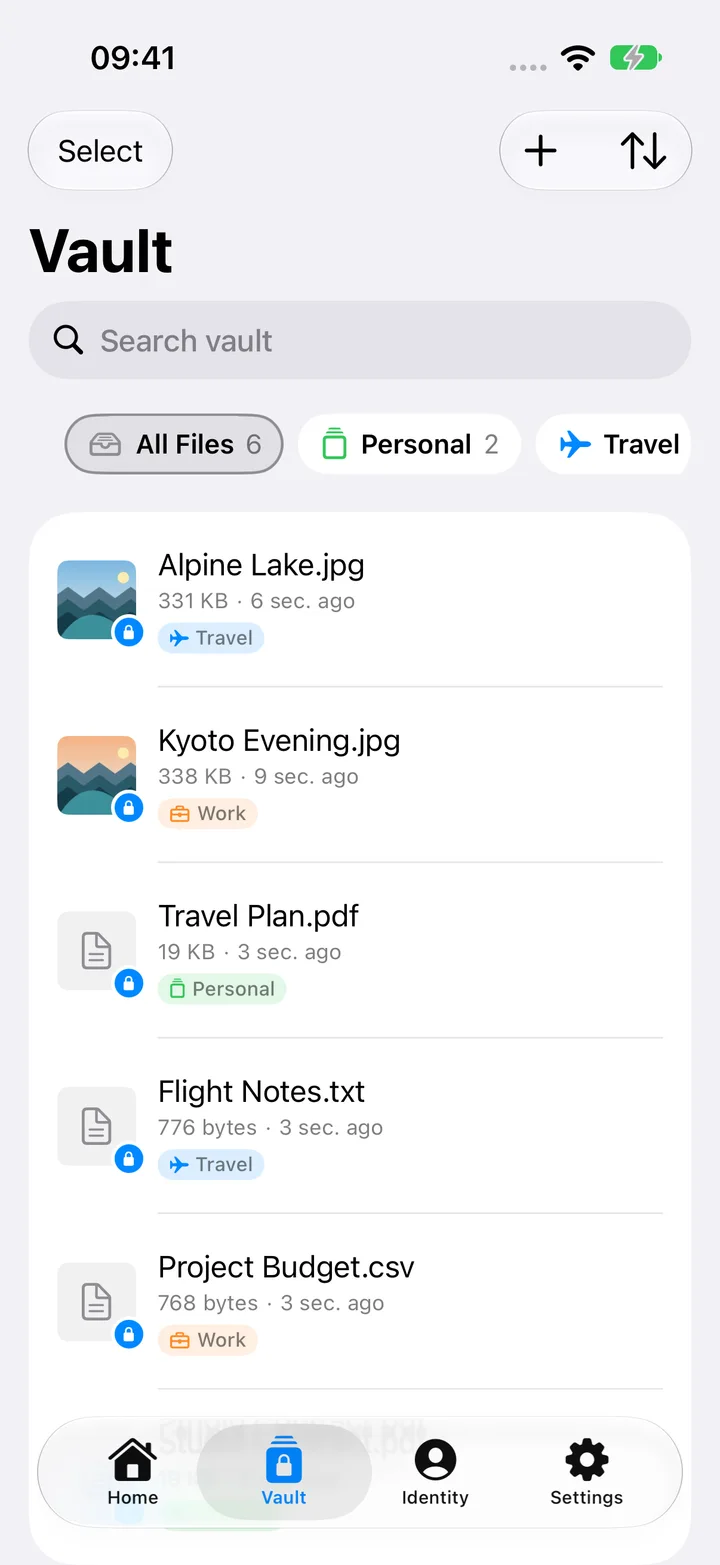
A place for your private files
A biometric-protected vault for the files you want to keep close, with collections that make them easy to find.
The iPhone image shows optional thumbnails enabled. Authentication reuse and thumbnails are off by default.
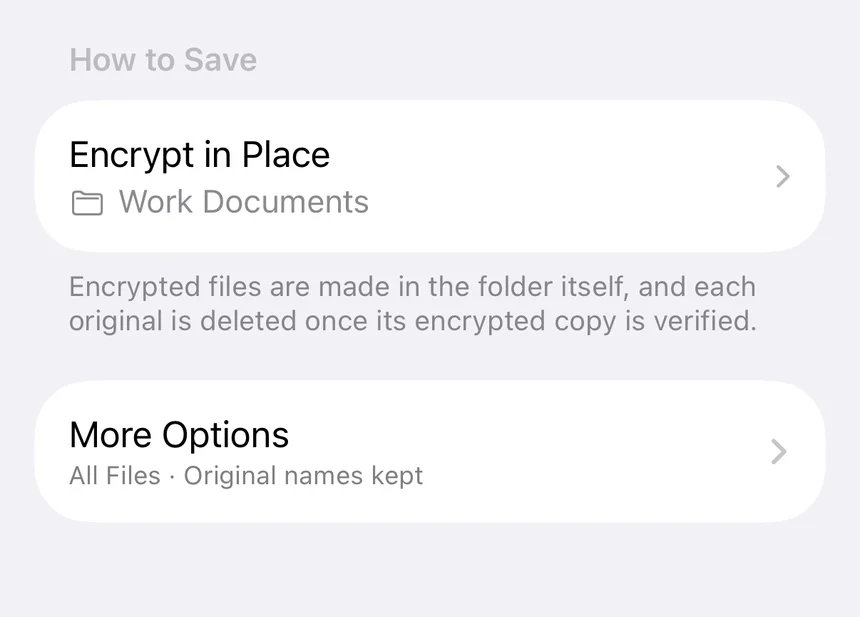
Start your free vaultWork with more files at once. Batch encryption and structured folders give you control over what gets encrypted and where it goes.
Quick Tasks skip existing encrypted outputs, even if a source file has changed. Read the details.
Understand what protects your files
DotBGE uses RSA-4096 and AES-256-GCM. Encryption and decryption run locally; your files do not need to be uploaded to a DotBGE server.
Read the privacy policyShare your public identity card so people can encrypt for you. The matching private key is yours to keep; sharing the card does not let someone open your files.
See the product facts.bge is a documented, open encrypted file format. Your files are not tied to a DotBGE account and can be opened by compatible implementations.
Explore the .bge formatOptional iCloud sync is available on Apple devices. Some iOS previews use protected temporary files. See how previews, backups and sync work.
Start with the files you have
Download and start encrypting individual files. Choose Pro when you need batch workflows, whole folders or more vault space.
$0 to download and get started
Prices and availability are shown in your platform’s store and vary by region.
Your devices. One format.
A few things you might ask
Clear answers to the things that matter. More in Help & support.
Product factsChoose a file in DotBGE or send it from another app’s share sheet. Select your identity, a trusted contact or a password, then choose where to save or share the encrypted .bge file. Single-file encryption is free.
No. The card contains your public key, which lets others encrypt files for you. It does not contain your private key. Only the matching private key can open files encrypted for that identity.
Install DotBGE on your iPhone or Android device, then open the .bge file from Files, Mail, your chat app or another app that supports document sharing. You need the matching private key or the correct password. Decryption is free.
Single-file encryption, decryption, encrypted messages, supported previews and one identity are free. The free vault holds up to 20 files on iOS and Android, starting with version 1.3.0. Pro adds batch and folder encryption, an unlimited vault and multiple identities.
They need DotBGE or another tool compatible with the .bge format. Password mode still creates a .bge file; it does not create a standard password-protected PDF or ZIP file.
No DotBGE account is required, and encryption and decryption run on your device. Optional cloud sync, downloading the app, store purchases and sending a file through another service may require an internet connection.
No. Some iOS previews use protected temporary files, including media and large files. Explicitly exporting a decrypted file writes it to the destination you choose. Read the privacy policy for preview cleanup and optional sync details.
DotBGE cannot recover a lost key or password for you. Back up your identity’s private key securely and keep passwords somewhere safe. See Help & support before relying on an encrypted file as your only copy.
Your next file can be a private one
Get DotBGE. Choose a file.
Decide who can open it.
Free to start. Optional Pro features are available in-app.
Scan the code for your device to open the store.